Complete Setup — No Technician Needed
All settings through a clear web interface — data sources, rules, AI providers, branding and exports in one place.
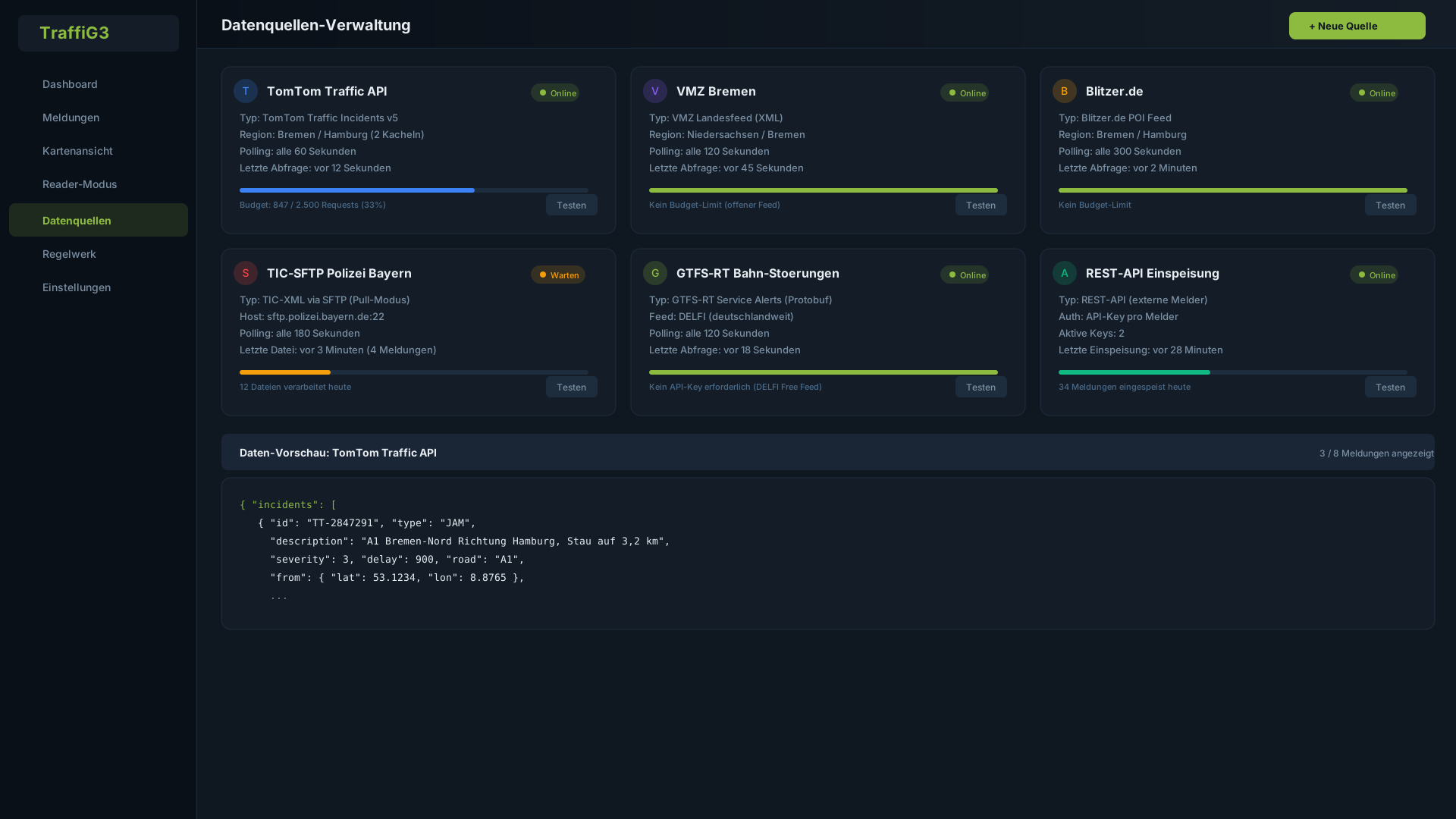
Data Source Management
Configure all data sources directly through the web interface. Connection testing, live preview of incoming data and health monitoring give you full control over your data pipeline.
- Connection test with immediate results
- Live preview of incoming traffic data
- Health monitoring with per-source status display
- Add new sources without server restart
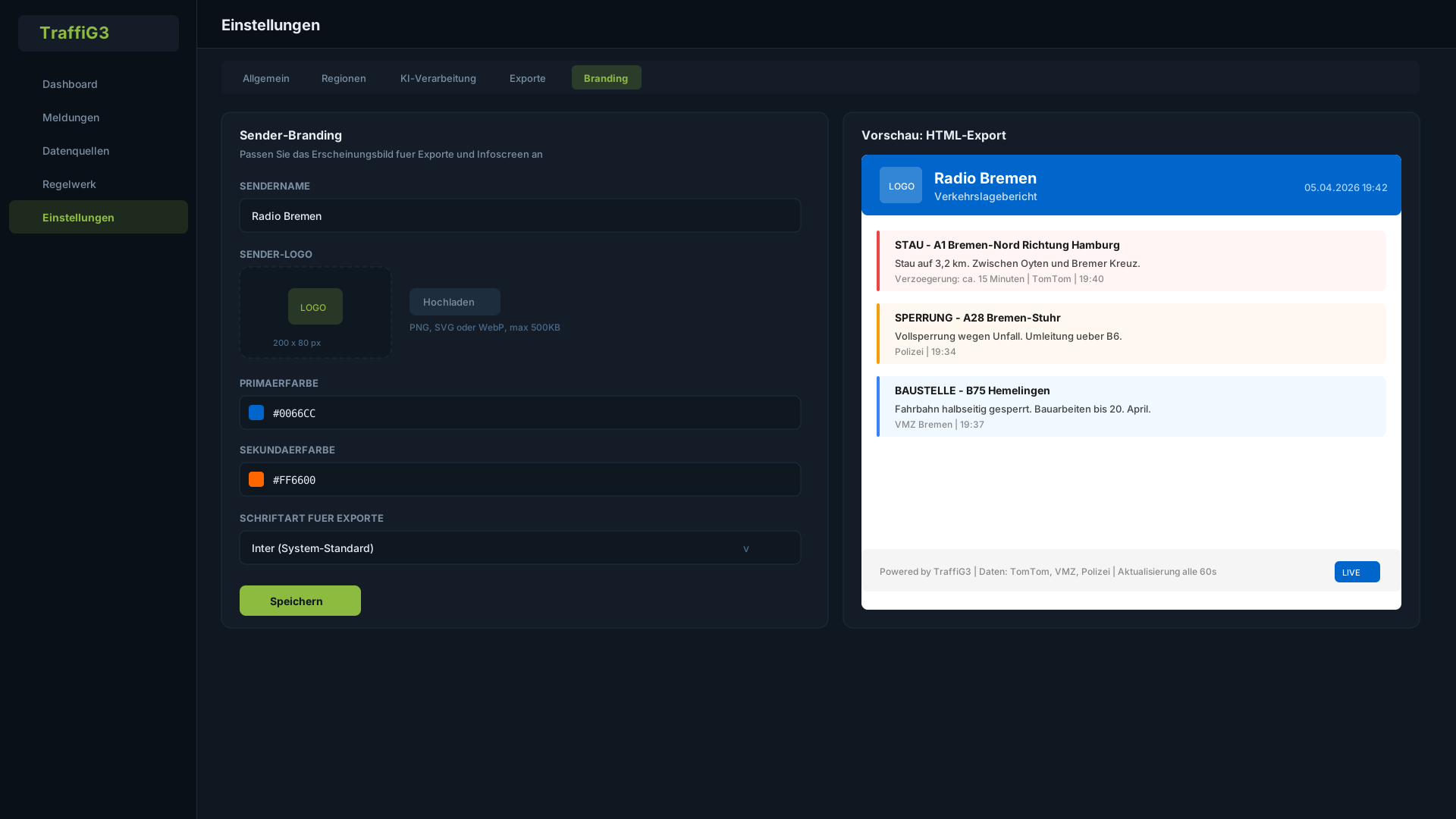
Branding & Settings
Customize TraffiG3 for your station: logo, colors, fonts for exports. Configure export templates, AI settings and rule parameters — all through an intuitive web interface.
- Station logo and colors for export branding
- Configurable export templates per format
- AI provider and prompt settings in the admin panel
- Rule parameters adjustable without technical knowledge